 Segmenter
The problem it solves
You recorded a webinar, a lecture, a long interview or a podcast. Somewhere in there are five great short clips. Finding them means scrubbing back and forth for an hour and writing down timestamps.
Segmenter does that first pass for you. It reads the whole thing, works out where each topic begins and ends, and hands you a list of clips with titles. You check them, tweak a title or two, and cut.
How it works
- Add your OpenRouter key in Settings, once. It's saved in your browser.
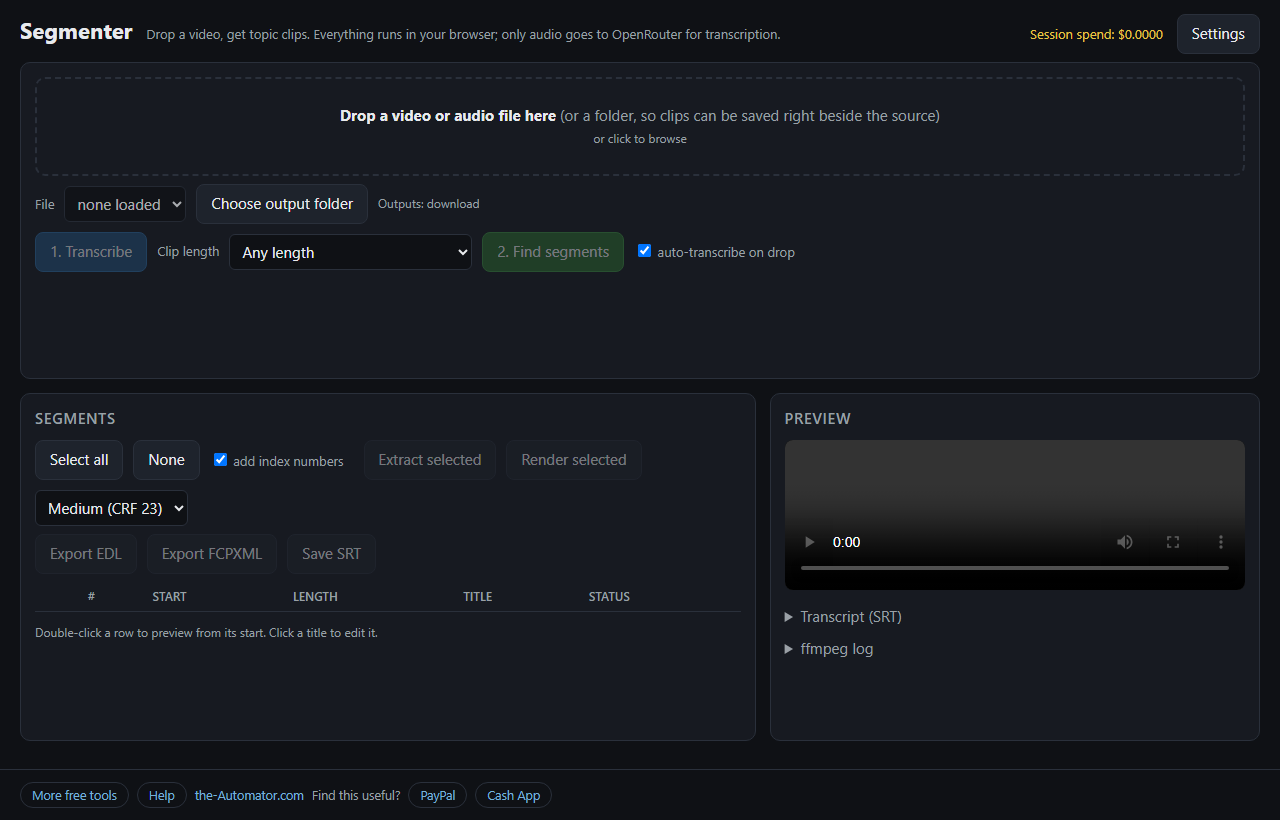
- Drop a video or audio file. MP4, MOV, MKV, WebM, MP3, M4A, WAV and more. It pulls the audio out and transcribes it.
- Pick a clip length, from short clips under a minute to long deep-dives, and press Find segments.
- Review the list. Double-click a row to preview it, click a title to edit it, then Extract or Render the ones you want.
What you can do with the segments
Extract selected copies the clip out without re-encoding. Fast, no quality loss, but the cut lands on the nearest keyframe. Render selected re-encodes to MP4 and cuts on the exact frame. It's slower, since your computer is doing the work in the browser.
If you'd rather finish in a real editor, Export EDL and Export FCPXML give you a timeline with every segment marked. Save SRT gives you the transcript as a subtitle file.
Drop a whole folder and the clips are saved in a _Segments folder beside the source. Transcripts are remembered, so running the same file again doesn't cost you a second time.
Why it needs an OpenRouter key
Turning speech into text and spotting topic changes takes AI models that don't run in a browser. Segmenter sends the work to OpenRouter, a service that gives one key access to many AI models. You get a key at openrouter.ai and add a few dollars of credit.
You pay OpenRouter directly for what you use. Segmenter adds no charge, and the header shows a running total of what this session has spent. Segmenter started as a desktop tool I built in AutoHotkey; this is the browser version, so there's nothing to install.
Why I ask for your email
Here's exactly where your data goes. Your video stays on your computer. Segmenter pulls out a small audio file and sends that to OpenRouter to be transcribed, then sends the transcript text to an AI model to find the segments. Your key is stored only in your browser and only ever sent to OpenRouter. None of it comes to me.
The email lets me know who's using the tool, and I might send you a note now and then about other free tools I build. I will never sell or give your email to anyone else.
Questions people ask
Is it free?
The tool is free. The AI work is billed by OpenRouter to your own key, and Segmenter shows the running cost.
Do I need an OpenRouter key?
Yes. Both the transcription and the topic finding run through OpenRouter.
Where is my key stored?
In your browser on this device. It's only sent to openrouter.ai.
Is my video uploaded?
No. Only the extracted audio goes to OpenRouter for transcription. The cutting happens on your computer.
Can I pick which AI models it uses?
Yes. Settings lets you choose the transcription model and the model that finds the segments, and set the language.
Will the clips open in my video editor?
The EDL and FCPXML exports are made for editors like DaVinci Resolve. You may need to point the editor at your source file the first time.